Why beach house guests ask about dates
Beach trips are planned early. Families book summer weeks months ahead around school breaks and holidays like the Fourth of July, and many come back for the same week every year. Before they commit, they want to see which weeks of the summer are still open.
If your beach house is listed on Airbnb and Vrbo, neither listing shows the full summer on its own. One calendar answers the question once, before the inquiry lands in your inbox.
How to set it up
Setup takes a few minutes and doesn't change anything on your booking sites.
- 1
Copy your calendar links
On Airbnb and Vrbo (and Booking.com, if you use it), copy the calendar export (iCal) link for your beach house. Our guide to finding iCal links shows where each site keeps it.
- 2
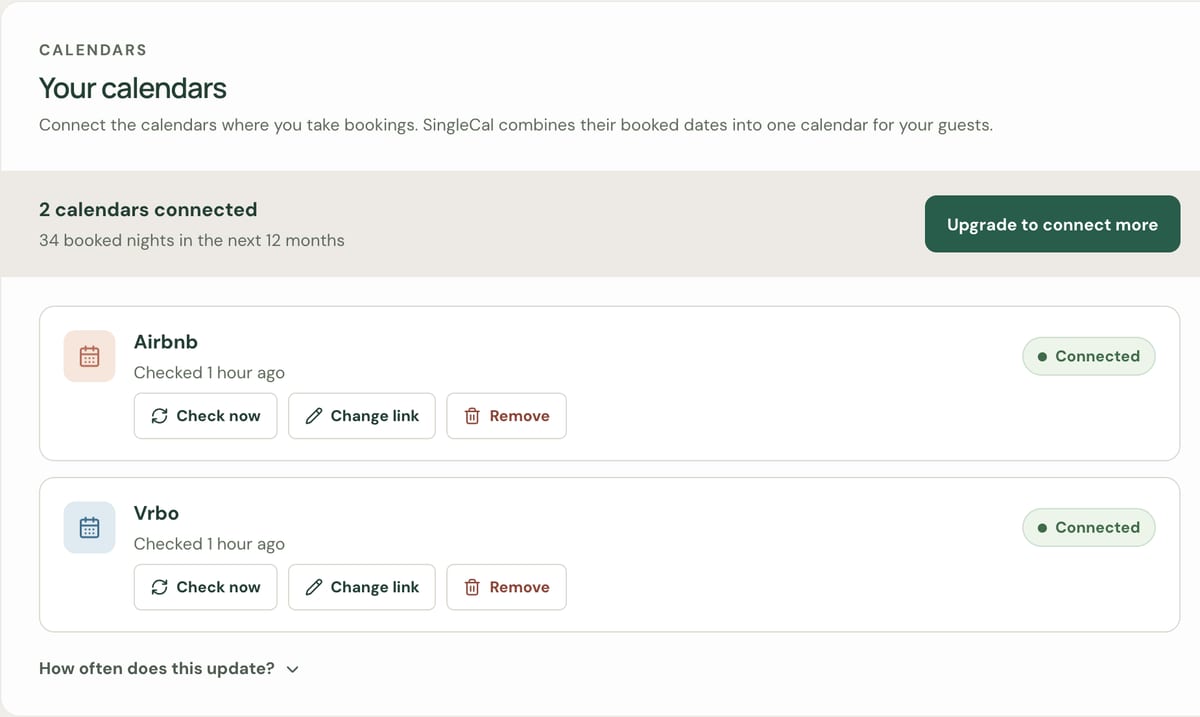
Add them to SingleCal
Create a calendar for the beach house and paste each link under Connected calendars. SingleCal reads the booked nights; it never changes your listings.
- 3
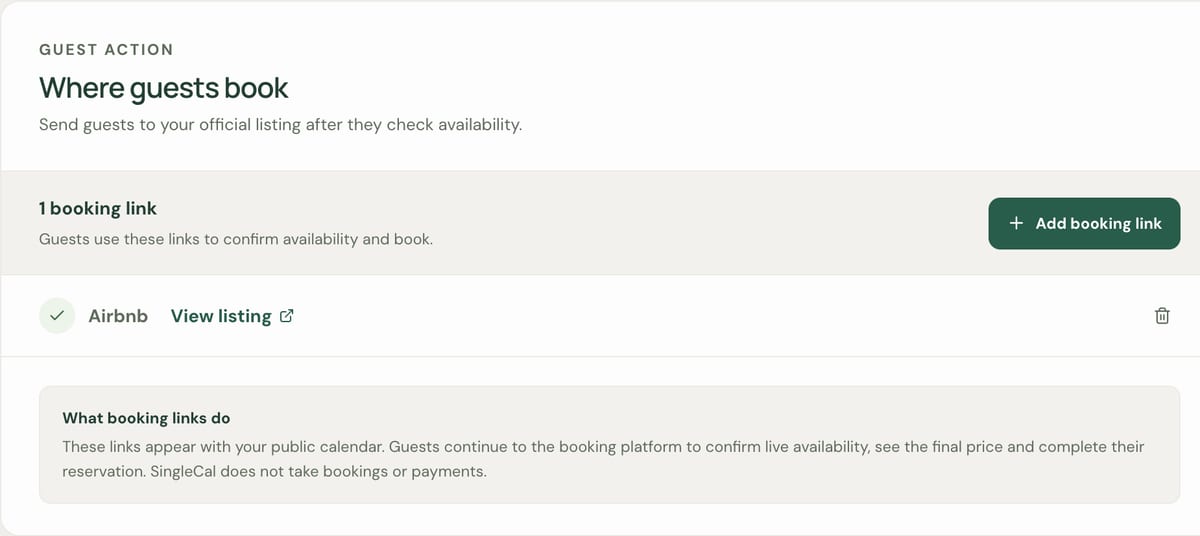
Choose where guests book
Under Booking links, add the listing guests should book on, such as your Airbnb or Vrbo page.
- 4
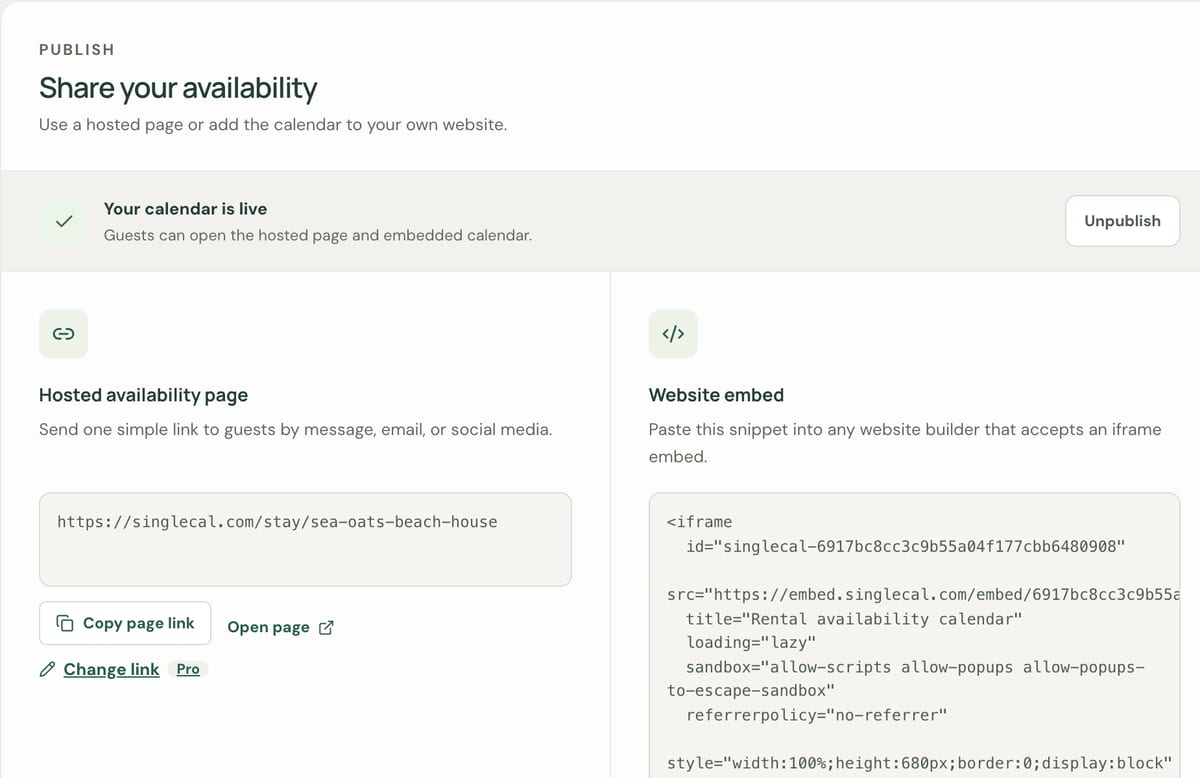
Publish and share
Embed the calendar on your beach house's website, or send its page link to guests by email or text.


Want guests to see your availability in one place? SingleCal combines your Airbnb, Vrbo and Booking.com calendars, free for one rental.
Summer weeks and the off-season
Many beach houses rent Saturday to Saturday in summer and by the weekend or the month the rest of the year. The calendar shows each night as open or booked, and marks a changeover day as check-in or check-out only, so a family can see exactly which week is left and a couple can spot an open fall weekend.
- Set your changeover day and minimum stay, such as a week in summer, on each booking site. SingleCal shows availability; it doesn't enforce stay rules.
- Guests see when the calendar last updated, so they know how current it is.
- The calendar covers the whole year, so winter and spring guests can check your dates too.
Family weeks and repeat guests
Many owners keep a week or two for their own family, and repeat guests often rebook their week directly with you. Those nights aren't booked on Airbnb or Vrbo, so a combined calendar would show them as open.
On Pro, block them in SingleCal, or connect the Google or Apple calendar you already use. SingleCal keeps only the dates from that calendar, never the titles or notes.
Blocking dates in SingleCal updates your SingleCal calendar only. Block the same nights on Airbnb, Vrbo and Booking.com too, so nobody can book them there.
If you have more than one beach house
Each house or condo gets its own calendar and its own page, because each one is rented separately. Free covers one. Pro covers up to five, each with up to 10 calendar links. If you have more than five, contact us.
What SingleCal does and doesn't do
It helps to know the limits before you set it up.
| SingleCal does | SingleCal doesn't | |
|---|---|---|
| Bookings | Shows which nights are open, then sends guests to the listing you choose. | Take bookings, deposits or payments. |
| Your booking sites | Reads the booked nights from each site's iCal link. | Copy bookings between sites. To block dates across sites, import each site's iCal link into the others. |
| Updates | Refreshes about every 6 hours on Free and about every 15 minutes on Pro, and shows guests when it last updated. | Update the instant a booking is made. |
| Stay rules | Marks changeover days as check-in or check-out only. | Enforce a changeover day or minimum stay. Set those on each booking site. |
| Rental agencies | Reads Airbnb, Vrbo and Booking.com, plus Google and Apple Calendar on Pro. | Read calendars from local rental agencies or property managers yet. Tell us with "Booking site not listed?" in your account. |
One calendar for Airbnb, Vrbo and Booking.com.
Paste your calendar links, then share the page or add it to your website. Free for one rental, no card needed.